Standard Grant: SecureSphere Decentralized Vault

Project Name: SecureSphere Decentralized Vault

Name of the organization or individual submitting the proposal:
Hani

Summary of Work Completed in Previous Grant

Mobile App
All core functionalities were implemented, tested, and optimized, including:

  • Password manager with fully encrypted storage

  • Encrypted backup and restore via the Sia network

  • Breach monitoring module for compromised credential detection

  • Support for self-hosted SIA nodes

  • Updated and secure seed-based authentication system

  • Usability, performance, and security testing completed across devices

Browser Extension
Key features delivered with verified cross-platform support:

  • End-to-end encryption of all sensitive user data

  • Secure authentication through seed phrase login and signup

  • Integrated breach monitoring functionality

  • Password manager with secure password generator

  • Fully redesigned UI/UX for improved usability

  • Compatibility with self-hosted SIA nodes

  • Encrypted backup and restore features

  • Verified cross-platform support (Chrome and Firefox)

The mobile app and browser extension are nearly ready for production. After the final feature additions and refinements, they will be submitted to app and extension stores.

This tested and functional foundation will serve as the core of our new grant proposal, which shifts the focus from early-stage experimentation to the development and delivery of a full-featured, production-ready version of SecureSphere.

We are applying for a Standard Grant instead of a Small Grant because the scope of this proposal includes multi-platform delivery (mobile, desktop, and browser extension), encrypted file sharing, and extended user features that go beyond the initial MVP. This next phase is about completing and releasing a stable, usable, and impactful version not starting from scratch, but building confidently on what has already been delivered.

Describe your project

SecureSphere is an open-source decentralized vault powered by the Sia network. It builds on a working MVP that includes password management and breach monitoring.

This new phase expands the project’s functionality across platforms, enabling encrypted file sharing and enhancing accessibility. Instead of creating a standalone plugin, we will directly integrate encrypted file storage and sharing via Sia into the core app stack mobile, desktop, and browser extension.

This grant covers development of:

  • A mobile app upgrade for managing secure vaults (passwords, breach alerts, file storage) and QR-based login

  • A Chrome extension update to provide quick access to vault contents, QR login, and improved usability

  • A desktop app (macOS + Windows) that replicates mobile features:

    • Password Manager

    • Breach Monitoring

    • Secure File Vault + Sharing (via SIA integration)

This proposal responds to real institutional demand: two universities have expressed interest in deploying SecureSphere for their students, particularly with the file sharing capability.

Who benefits from your project?

  • Everyday users gain full control over credentials and files with decentralized, encrypted, and cross-platform access

  • Sia developers benefit from a full implementation example for encrypted file sharing using renterd

How does the project serve the Foundation’s mission of user-owned data?

SecureSphere is fully aligned with the Foundation’s vision:

  • All data (files, passwords, identifiers) is encrypted client-side and stored on Sia

  • Users retain 100% ownership over their digital identities and data

  • The system operates without vendor lock-in, subscriptions, or third-party intermediaries

  • Code and integrations are open-source, reusable, and extendable by the community

Are you a resident of any jurisdiction on that list?

No

Will your payment bank account be located in any jurisdiction on that list?

No

Grant Specifics

Amount of money requested and justification: $25,000 over 5 months

Item Amount Notes
Development (full-time) $24,000 5 months Ă— 160 hours/month Ă— $30/hour
Store & infrastructure fees $1,000 App/extension stores, server
Total $25,000

Timeline with milestones

Milestones Milestone / Deliverable Duration
1 Integrate Sia file storage (upload/download + encryption) in mobile app 2 Months
2 Chrome extension upgrade (file access, QR login, UX improvements) 1 Month
3 Desktop app (macOS & Windows) with full feature parity 1.5 Months
4 QA Testing, security audit 2 weeks

Potential risks and mitigation

Risk Mitigation Strategy
Cross-platform delays Modular timeline, shared codebase
Security vulnerabilities Peer-reviewed code, open-source audits
Extension store limitations Fallback features for browser compliance

Development Information

Will all of your project’s code be open-source?
Yes

Where will the code be accessible?
GitHub: r00b00t · GitHub
(Repository structure will be created and documented upon grant approval.)

Do you agree to submit monthly progress reports?
Yes

Contact Info

Email: [email protected]
This is a project overall I have long wanted to see a solution for, and one that if executed well, can give competition to Bitwarden and and the bigger SaaS managers.

I am personally getting more issues lately with the current options, and frankly need something better, so I intend to be an early user of it on extension and desktop. I have not tested the MVP in the initial grant mainly b/c I just never really use a password manager on mobile, but I am hugely interested in this for desktop.

1 Like

This is something we need. I’ve been talking about a mobile app to manage my private data collection for years. Mixed with a desktop app and password manager it sounds like a great idea.

And browser extension for file access is nice as well, solves most of the needs I have since I don’t want to have just a data backup. I want to actively access the uploaded data.

If you need any testing/feedback, feel free to DM me on discord.

1 Like

Appreciate the feedback we’re aiming for exactly that: a strong, decentralized alternative to tools like Bitwarden, with full desktop and browser support.

The extension and desktop app are a top priority in this next phase, with native builds using Flutter for smooth cross-platform performance.

If you’d like to try the mobile MVP just to see the core encryption and breach detection in action, We will share very soon our first beta build

Really appreciate your support this kind of feedback is exactly what keeps us pushing forward.

You’re absolutely right: just having a backup isn’t enough anymore. That’s why we’re focusing heavily on real-time encrypted access and file management through the extension, in addition to mobile and desktop apps.

We’d definitely love to have your feedback during testing, I’ll reach out via Discord once the beta builds are ready. Thanks again for offering to help!

1 Like

Hi there,

  • Is the existing browser extension publicly available for installation on the Chrome Web Store and other places?
  • Do you have a video demo of all the latest existing SecureSphere app and extension features?

Hi @parox,

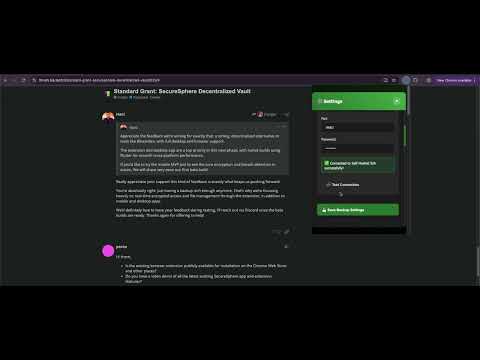
The browser extension will be published on the Chrome Web Store and Firefox Add-ons once we reach the second milestone of this grant.

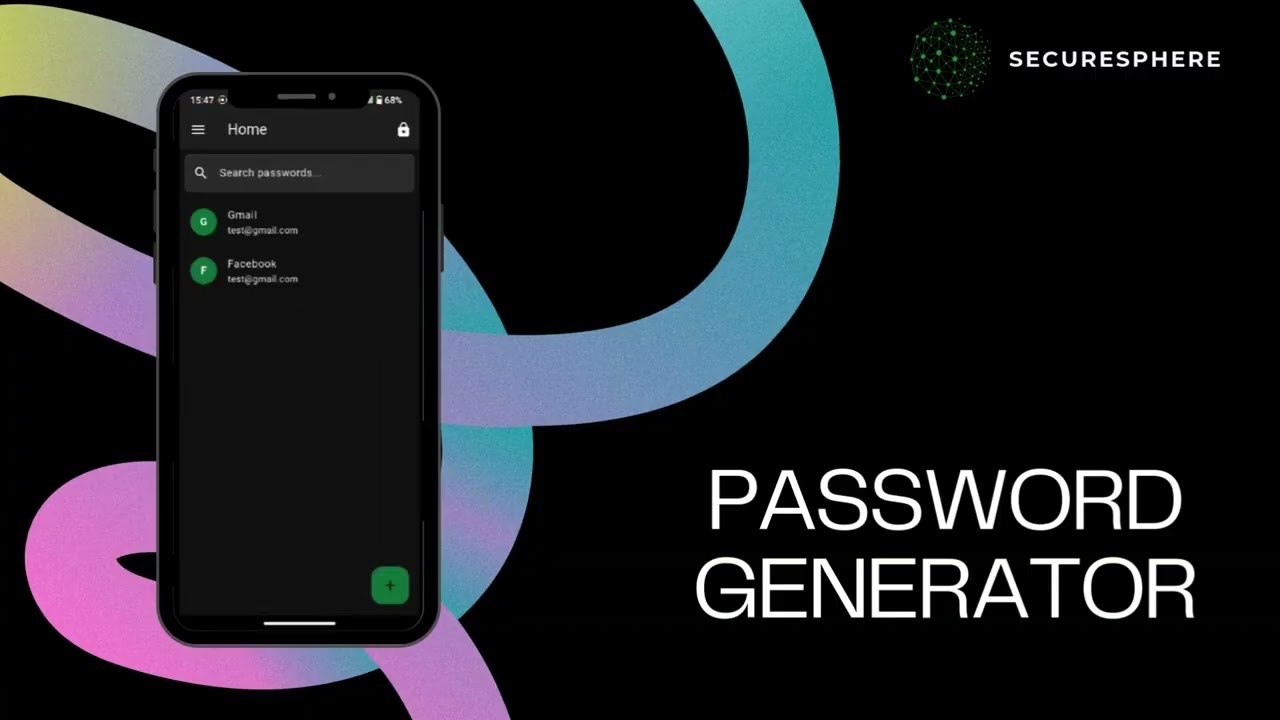
here’s is the mobile app demo video

Browser Extension demo video

2 Likes

Hey @Hani, thanks for your proposal to The Sia Foundation Grants Program.

After review, the committee has decided to approve your proposal. Congratulations! They’re excited to see what you can accomplish with this grant.

We’ll reach out to your provided email address for onboarding. This shouldn’t take long unless your info has changed from last time, but you may still need to adjust your timelines.

1 Like

July 2025 | SecureSphere Decentralized Vault Progress Report

What progress was made on your grant this month?

This month, we made significant progress on the File Vault module, expanding SecureSphere’s functionality beyond password management.

Key accomplishments:

  • File Vault UI/UX: Designed and implemented an intuitive interface for managing uploaded files across platforms.
  • File Upload & Download with SIA Integration: Added seamless file transfer capabilities using the Sia decentralized storage network.
  • File Management: Implemented features for deleting and organizing stored files for better usability.

GitHub repository:
SecureSphereApp


What’s next?

Our focus for the next cycle:

  • File Encryption & Decryption: Implementing client-side encryption for all stored files.
  • Enhanced Progress Tracking: Improving real-time progress indicators for file uploads/downloads.
  • File Sharing: Adding secure file-sharing feature.

Demo Video:

Hello,

Thank you for your progress report!

Regards,
Kino on behalf of the Sia Foundation and Grants Committee

1 Like

Hello,

I’d like to share a quick update regarding the project timeline. After reviewing the development flow, I’ve decided to adjust the order of milestones to better align with technical priorities. The new order will be:

Milestone 3: Desktop app (macOS & Windows) with full feature parity

Milestone 4: Chrome extension upgrade (file access, QR login, UX improvements)

This is simply an inversion of the previous order, the scope of work remains the same. The Sia Foundation has approved this change.
Thank you for your continued support, and I’ll keep you posted as development progresses.

2 Likes

Hi @Hani , this is a reminder that your progress report deadline is coming up on September 2nd.

We look forward to receiving it!

August 2025 | SecureSphere Decentralized Vault Progress Report

What progress was made on your grant this month?
This month, we pushed well beyond our planned milestone targets, I put in a lot of hard work to accelerate development and deliver more than scheduled. SecureSphere is now moving from concept to a full multi-platform experience with advanced security features.

Key accomplishments:

  • File Encryption & Decryption: Implemented client-side encryption for all stored files, ensuring zero-knowledge security across the system.
  • Enhanced Progress Tracking: Improved real-time indicators for file uploads and downloads, giving users more transparency during transfers.
  • File Sharing: Introduced secure file-sharing functionality with granular access controls.
  • Desktop App UI/UX: Designed and launched the SecureSphere Desktop App with a clean, intuitive interface.
  • Desktop App Features: Integrated Password Manager, Backups, and File Vault modules, bringing parity with the mobile app.

GitHub repository:

What’s next?
Our focus for the next cycle:

  • MacOS Compatibility: Fixing compatibility issues to ensure smooth performance across Mac devices.
  • Improved File Sharing: Adding more robust file-sharing options.
  • QR Code Login for Desktop App: Introducing a seamless and secure way for users to log into the desktop app using QR codes.
  • Drag-and-Drop Support: Enabling drag-and-drop functionality for faster and easier file management on desktop.
  • Beta Release: We are excited to announce that our beta version will be available in the 3rd week of September 2025, marking a key milestone for SecureSphere.

Demo Desktop App

1 Like

Hello

Thank you for your progress report!

Regards,
Kino on behalf of the Sia Foundation and Grants Committee

1 Like

September 2025 SecureSphere Decentralized Vault Progress Report

What progress was made on your grant this month?
This month, we successfully delivered all the features we planned for the cycle, bringing SecureSphere closer to a public release across all platforms. Development focused on cross-platform compatibility, secure file sharing, and final preparations for app distribution.

Key accomplishments:

  • macOS Compatibility: Fixed all major issues, ensuring smooth performance and full feature parity across Mac devices.

  • Improved File Sharing: Implemented secure file-sharing through email invitations and social media links, giving users flexible options to share encrypted files.

  • QR Code Login for Desktop App: Integrated a seamless login process allowing users to authenticate by scanning a QR code from their mobile app.

  • Drag-and-Drop Support: Added drag-and-drop functionality for faster and easier file management in the desktop app.

  • Developer Accounts Ready: Completed registration and configuration of Apple Developer, Google Play Developer, and Microsoft Developer accounts, preparing SecureSphere for app store distribution.

These updates make SecureSphere more accessible and user-ready, while setting the foundation for public beta testing across ecosystems.

GitHub repository:

What’s next?
The next cycle will focus on finalizing distribution and extension upgrades:

  • Chrome Extension Upgrade: Adding file access, QR login integration, and UX improvements.

  • App Store Submissions: Submitting SecureSphere to the official stores:

  1. macOS App Store

  2. Microsoft Store (Windows app)

  3. Google Play (Android app)

  4. Apple App Store (iOS app)

This will mark a major milestone, bringing SecureSphere into the hands of real users across all major platforms.

1 Like

Hello @Hani,

Thank you for your progress report!

Regards,
Kino on behalf of the Sia Foundation and Grants Committee

1 Like

Hello @Hani,

This is a reminder that your October progress report is now late.

Progress reports are expected to be posted by the end of the 25th day of the month, or the nearest following workday, and to meet the standards laid out in the Progress Report Guidelines, linked below.

Please be sure to follow the Progress Report Template and submit your progress report so we may continue funding your grant.

Regards,
Kino on behalf of the Sia Foundation and Grants Committee

Hello,

Sorry for the delay I will share our report this weekend the reason is I have some security issue for the Browser Extension I need to fix it before sharing it.

Regards

1 Like

Hi @Hani - this is the final notice for your October progress report.

If your full and complete report is not posted by 9am ET tomorrow (November 4th), you will have to miss this payment cycle.

October 2025 SecureSphere Decentralized Vault Progress Report

What progress was made on your grant this month?

This month, we focused on enhancing SecureSphere’s accessibility and security, particularly for the browser extension. Key development efforts included QR login integration and enabling secure file management in the Vault via SIA decentralized storage. These updates improve the user experience and prepare the platform for public beta testing.

Key accomplishments:

  • QR Login for Browser Extension: Integrated QR code login functionality, allowing seamless authentication from the mobile app.
  • File Vault Upload & Download: Added the ability to securely upload and download files from the Vault using SIA decentralized storage.
  • Extension Distribution: Prepared the final build of the browser extension for submission to the Google Chrome Extension Store.
  • Cross-Platform Consistency: Ensured that new features are consistent with desktop and mobile apps and browser extension.

These updates bring SecureSphere closer to public release while maintaining high standards for security and usability.

GitHub repository:
[GitHub - r00b00t/SecureSphereBrowserExtension)


Detail tasks worked on this month per milestone

Milestone Task Pull Request(s) Additional Notes
1: Browser Extension 1. Add QR code login Add authentication module with QR code by r00b00t · Pull Request #1 · r00b00t/SecureSphereBrowserExtension · GitHub Integrated with mobile app authentication
1: Browser Extension 2. Implement File Vault upload & download Add file vault module with SIA integration and encryption · r00b00t/SecureSphereBrowserExtension@1ee45f9 · GitHub Files securely stored on SIA network; includes error handling and progress tracking

Summarize any problems that you ran into this month and how you’ll be solving them

Major challenges:

  • Submitting apps to stores has been challenging due to multiple requests for clarifications and changes, particularly regarding data protection and privacy policies.

What’s next?

The next month will focus on preparing SecureSphere for public release:

  • Finalize QA Testing: Complete thorough testing across all platforms to ensure stability and security.
  • Security Audit: Conduct final security review and penetration testing to ensure compliance with privacy and data protection standards.
  • App Store Submissions: Submit updated apps to the official stores for final approval:
    • macOS App Store
    • Microsoft Store (Windows app)
    • Google Play (Android app)
    • Apple App Store (iOS app)
  • Browser Extension Distribution: Submit the final build to the Google Chrome Extension Store.

These steps will bringing SecureSphere into the hands of real users across all major platforms.

1 Like